Fine-tuning
Compressa platform allows fine-tuning LLM models quickly and efficiently using LoRA/QLoRA adapters or PFT. Fine-tuning allows improving answer quality for specific business tasks, focusing on a specific topic, or setting answer format/style.
Important! Model fine-tuning is only available in the on-premise version of the platform running on your servers.
Before proceeding to fine-tuning, it's recommended to conduct experiments with selecting the optimal model and prompting.
Fine-tuning is based on the Axolotl framework, AIM is used for monitoring.
Limitations:
- FlashAttention is not available in the fine-tuning engine
- Datasets must be in jsonl format
- 3 types of FT tasks:
- LORA / QLORA
- PEFT
- DPO with LORA / QLORA
- 3 types of datasets:
- alpaca —
{"instruction": "", "input": "", "output": ""} - chat_template —
{"messages": [{"role": "user", "content": "content"}, {"role": "assistant", "content": "content"}]} - dpo_chat_template —
{"instruction": "instruction", "input": "", "output": "chosen", "messages": [{"role": "user", "content": "content"}, {"role": "assistant", "content": "content"}], "chosen": {"role": "assistant", "content": "content"}, "rejected": {"role": "assistant", "content": "content"}}
- alpaca —
- Only vLLM inference engine for adapters
Preparation
Set DISABLE_AUTODEPLOY=TRUE in docker-compose.yaml or interrupt the deployed model after pod startup using curl -X POST http://localhost:5100/v1/deploy/interrupt
Execute
cd deploy/pod
set -a
source .env
set +a
docker compose up compressa-pod compressa-client-finetune aim-ui aim-server -d
Chat UI will be available in browser at http://localhost:8501/chat
Fine-tuning UI will be available at http://localhost:8501/finetune
aim-UI is available at http://localhost:43800/aim-ui
Prepare datasets for fine-tuning.
You can use your own datasets by uploading them using a POST request to http://localhost:5100/v1/datasets/upload/, example is in packages/pod/scripts/examples_finetune.
Or you can load datasets from HuggingFace using a POST request to http://localhost:5100/v1/datasets/add/?name=%HF_REPO_ID%
After uploading or adding, your datasets will be in the host folder DATASET_PATH and can be viewed using a GET request to http://localhost:5100/v1/datasets
Fine Tuning
Custom Config
You can use your own .yaml config file (recommended, especially for training PFT with parameter unfreezing, as layer names differ for different models). Examples are available in Axolotl examples
- Select dataset from
http://localhost:5100/v1/datasets - Select model from
http://localhost:5100/v1/finetune/models - Important: only models with task=llm will be available!
- Edit base_model and dataset.path in your config
- Start training process:
import requests
url = "http://localhost:5100/v1/finetune/custom"
headers = {
   "Authorization": "Bearer test",
}
response = requests.post(url, headers=headers, files={"config_file": open("cfg.yaml", "rb")})
print(response.json())
You can check status or interrupt the process via status and interrupt endpoints
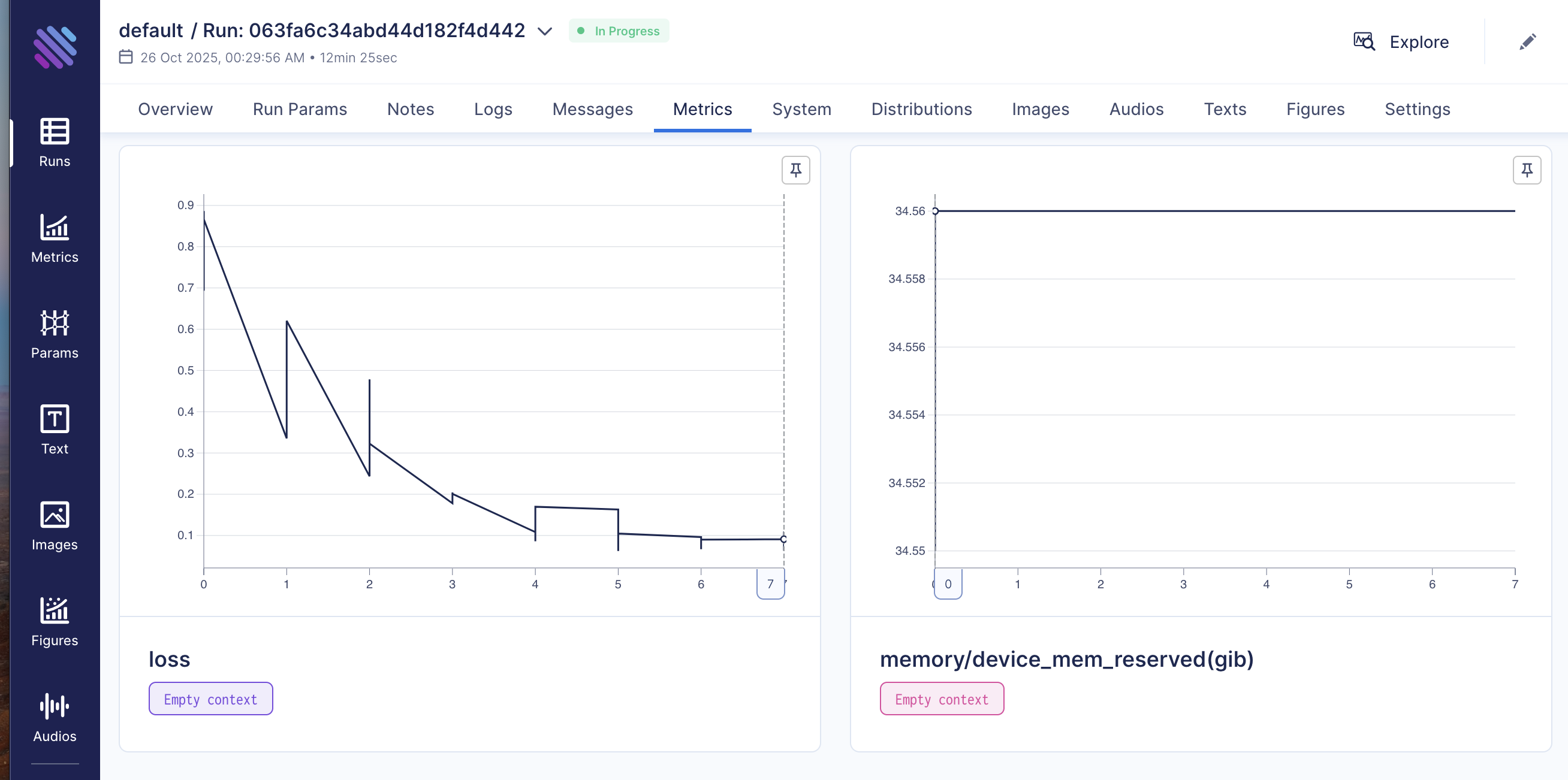
Process visualization is available in Aim-UI http://localhost:43800/aim-ui
Adapters or fine-tuned model weights will be available in a separate folder (doesn't affect base model): base_model_path_finetuned_YYYYMMDD_job_id[:8]
Standard Config
- Can use one of the included config templates
- Select dataset from
http://localhost:5100/v1/datasets - Select model from
http://localhost:5100/v1/finetune/models - Important: only models with task=llm will be available! Start fine-tuning process:
import requests
url_finetune = "http://localhost:5100/v1/finetune/"
headers_finetune = {
    "Authorization": "Bearer test",
    "Content-Type": "application/json"
}

data = {
    "name": "test_ft",
    "model_id": "Qwen/Qwen2.5-0.5B-Instruct",
    "dataset_name": "glayout_chatml.jsonl",
    "training_task": "qlora",
    "num_train_epochs": 10,
    "learning_rate": 5e-5,
    "batch_size": 2,
    "lora_r": 8,
    "lora_alpha": 16,
    "lora_dropout": 0.05,
    "quantization": "int4",
    "launcher": "accelerate",
}
response = requests.post(url_finetune, headers=headers_finetune, json=data)
if response.status_code == 200:
    print(f"Finetune started successfully: {response.json()}")
else:
   print(f"Failed to start finetune: {response.status_code} {response.text}")
You can check status or interrupt the process via status and interrupt endpoints
Process visualization is available in Aim-UI http://localhost:43800/aim-ui
Adapters or fine-tuned model weights will be available in a separate folder (doesn't affect base model): base_model_path_finetuned_YYYYMMDD_job_id[:8]
It's strongly recommended to restart Pod after fine-tuning before merging weights or starting a new experiment to avoid Pod state collisions.
Running Fine-tuned Model
Running Base Model with Adapters
Edit deploy_config.json:
{
  "model_id": "Qwen/Qwen2.5-0.5B-Instruct",
  "served_model_name": "Compressa-LLM",
  "dtype": "auto",
  "backend": "llm",
  "task": "llm",
  "adapter_ids": ["Qwen/Qwen2.5-0.5B-Instruct_finetuned_261fbfb6-22fe-4897-9f68-a28c723b072e"]
}
Start Pod
Merging Base Model and Adapter
- Restart pod.
- Select fine-tuned model name and checkpoint number (if None — last checkpoint will be used).
- If needed, check
compressa-config.jsonfile in model folder.
import requests
url = "http://localhost:5100/v1/finetune/merge"
headers = {
    "Authorization": "Bearer test",
    "Content-Type": "application/json"
}
response = requests.post(url, headers=headers,
json={
    "model_id": "Qwen/Qwen2.5-0.5B-Instruct",
    "lora_model_dir": "Qwen_Qwen2.5-0.5B-Instruct_finetuned_20251020_26e93c7c",
    "checkpoint": None,
})
print(response.json())
There are no endpoints for checking status and interrupting merge job, you can check status by job_id:
curl http://localhost:5100/v1/jobs/{job_id}/status/
Merged weights will be available in a separate folder (doesn't affect base model): base_model_path_merged_finetuned_YYYYMMDD_job_id[:8]_checkpoint"
Check model model_id using GET request to http://localhost:5100/v1/models and edit deploy_config.json to start pod with model after merge.
{
  "model_id": "Qwen/Qwen2.5-0.5B-Instruct_merged_415a70b8",
  "served_model_name": "Compressa-LLM",
  "dtype": "auto",
  "backend": "llm",
  "task": "llm"
}
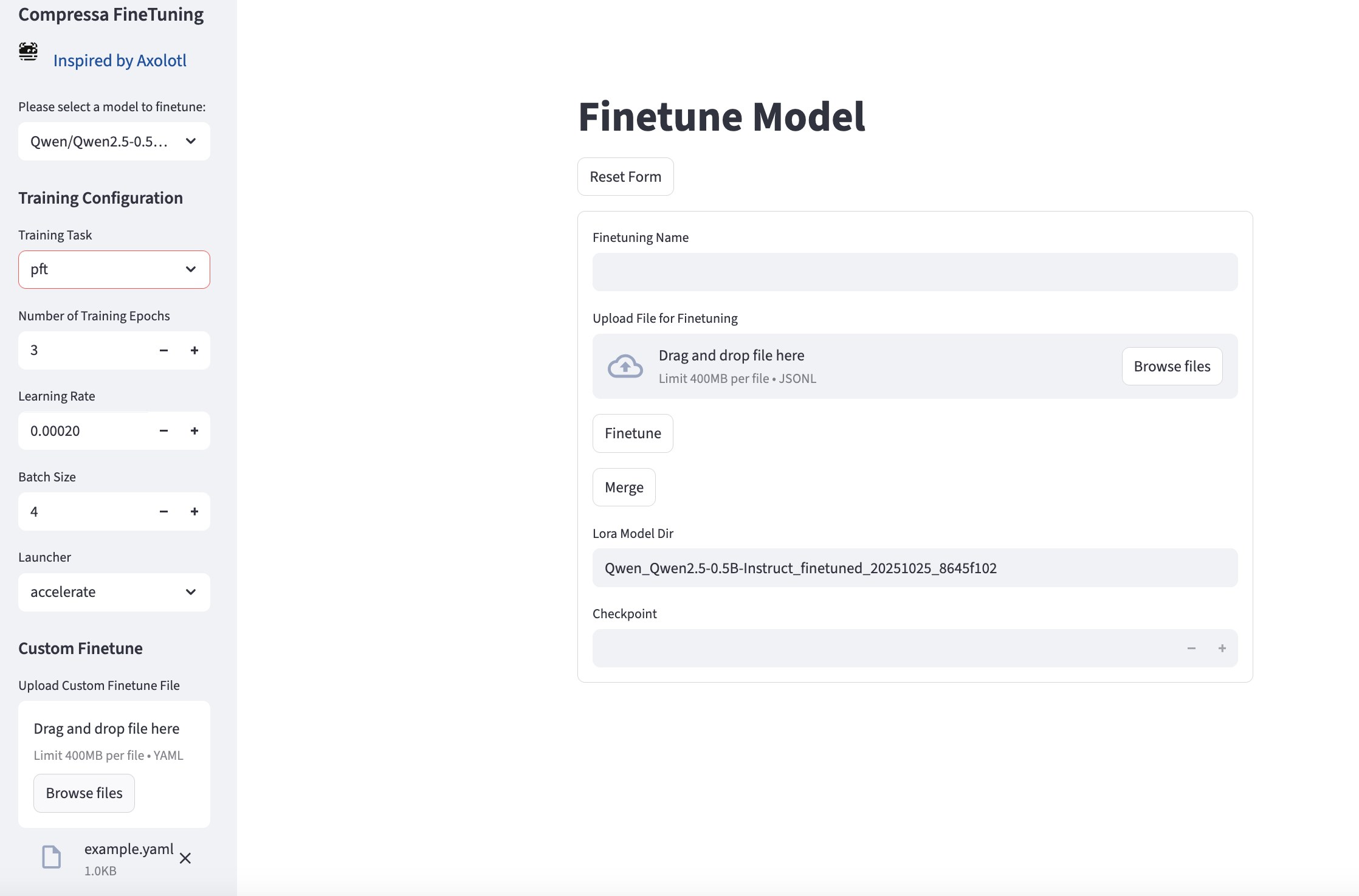
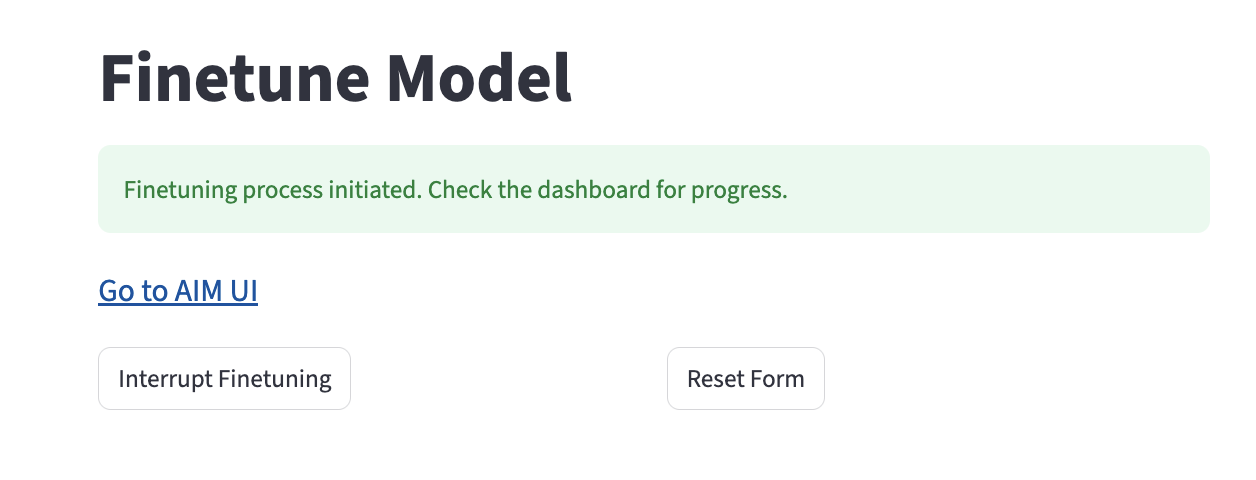
Dataset loading, fine-tuning, monitoring and merge are also available via UI at http://localhost:8501/finetune
REST API Description
Dataset Management
GET /v1/datasets/
Get list of available datasets.
Request Example:
curl -X 'GET' \
  'http://localhost:5100/v1/datasets/' \
  -H 'accept: application/json'
Response Example:
[
  {
    "id": "01be6d68-f790-434b-aa6d-5bd492aef202",
    "name": "train.jsonl",
    "path": "01be6d68-f790-434b-aa6d-5bd492aef202/metadata.json",
    "description": null
  },
  {
    "id": "077adb68-2b0e-481b-bd13-e8807adf625f",
    "name": "train.jsonl",
    "path": "077adb68-2b0e-481b-bd13-e8807adf625f/metadata.json",
    "description": "My dataset 2"
  }
]
POST /v1/datasets/upload/
Upload a new dataset (only 'jsonl' format).
Parameters:
- query:
description- dataset description
Request Body:
- multipart/form-data:
file
Request Example:
curl -X 'POST' \
  'http://localhost:5100/v1/datasets/upload/?description=My%20Description' \
  -H 'accept: application/json' \
  -H 'Content-Type: multipart/form-data' \
  -F 'file=@train.jsonl'
Response Example:
{
  "id": "string",
  "name": "string",
  "path": "string",
  "description": "string"
}
POST /v1/datasets/add/
Download a new dataset from HuggingFace.
Request Example:
curl -X 'POST' \
  'http://localhost:5100/v1/datasets/add/?name=REPO_ID' \
  -H 'accept: application/json' \
Response Example:
{
  "id": "string",
  "name": "string",
  "path": "string",
  "description": "string"
}
GET /v1/datasets/{dataset_id}/
Download a specific dataset by id dataset_id
Parameters:
- path:
dataset_id
Request Example:
curl -X 'GET' \
  'http://localhost:5100/v1/datasets/01be6d68-f790-434b-aa6d-5bd492aef202/' \
  -H 'accept: application/json'
Response Example:
file
Model Fine-tuning
GET /v1/finetune/models/
Get list of models available for fine-tuning
Request Example:
curl -X 'GET' \
  'http://localhost:5100/v1/finetune/models/' \
  -H 'accept: application/json'
Response Example:
[
  {
    "model_id": "TheBloke/mixtral-8x7b-v0.1-AWQ",
    "adapter": false,
    "base_model_id": null
  },
  {
    "model_id": "NeuralNovel/Mistral-7B-Instruct-v0.2-Neural-Story",
    "adapter": false,
    "base_model_id": null
  }
]
POST /v1/finetune/
Start fine-tuning a model on a dataset
Examples see above.
GET /v1/finetune/status
Get status of current fine-tuning process
Request Example:
curl -X 'GET' \
  'http://localhost:5100/v1/finetune/status/' \
  -H 'accept: application/json'
Response Example:
{
  "id": "46c155b4-17fe-4226-9412-a77edfadc7e7",
  "name": "My Adapter Training",
  "model_id": "NousResearch/Llama-2-7b-chat-hf",
  "dataset_id": "01be6d68-f790-434b-aa6d-5bd492aef202",
  "job": {
    "id": "74280be7-4723-475d-89ae-346e9017990e",
    "name": "FT_NousResearch/Llama-2-7b-chat-hf_01be6d68-f790-434b-aa6d-5bd492aef202",
    "status": "RUNNING",
    "started_at": "2024-03-21T10:40:40.928442"
  }
}
POST /v1/finetune/interrupt/
Interrupt fine-tuning process
Request Example:
curl -X 'POST' \
  'http://localhost:5100/v1/finetune/interrupt/' \
  -H 'accept: application/json' \
  -d ''
Response Example:
{
  "id": "74280be7-4723-475d-89ae-346e9017990e",
  "name": "FT_NousResearch/Llama-2-7b-chat-hf_01be6d68-f790-434b-aa6d-5bd492aef202",
  "status": "RUNNING",
  "started_at": "2024-03-21T10:40:40.928442"
}
POST /v1/finetune/merge
Perform Merge of base model and LORA adapter.
Example see above.